
Yes, you can use AI to write schema markup, and for a small site it’s often quicker than fighting a plugin’s settings screen. The trouble is that AI fills gaps with things that aren’t true or aren’t on your page: star ratings, Sunday hours, a social profile that doesn’t exist. Give it only facts that are visible on the page, test the code in Google’s Rich Results Test and the Schema Markup Validator, and then check every single value yourself, because no tool can tell you your clinic actually shuts at 8 pm.
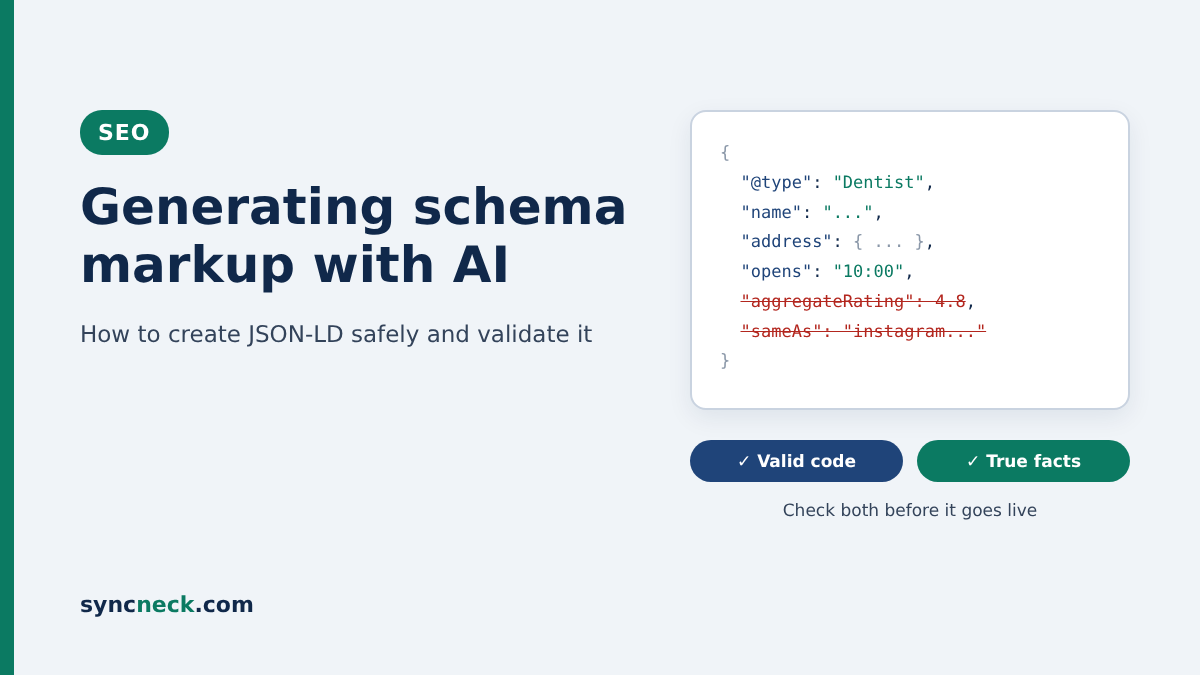
Schema markup is a small block of code, usually JSON-LD, that tells search engines in plain labels what a page is about: this is a dental clinic, here’s its address, these are its hours. Google supports three formats but says in its general structured data guidelines that JSON-LD is the recommended one. It’s also the format ChatGPT, Gemini and Claude are best at writing, since it’s just text in a script tag.
Be realistic about what schema does now
Correct markup makes a page eligible for rich results. It doesn’t guarantee them, and Google says so plainly on the same guidelines page. Some of the shiny results people still chase are gone. Google stopped showing FAQ rich results on 7 May 2026 and removed the FAQ documentation in June, after years of limiting them. So if an AI tool or a freelancer suggests FAQ schema to “get dropdowns in Google”, that advice is out of date.
The AI search angle gets oversold too. Google’s own guide to optimising for generative AI features says structured data isn’t required for AI Overviews or AI Mode and that there’s no special schema you need to add for them. It still recommends using it as part of normal SEO. That’s a fair summary of where schema sits for a shop or clinic: useful plumbing, not a ranking trick.
Check what your site already outputs
Before you ask AI for anything, look at what’s already there. If your site runs WordPress with Yoast SEO, the plugin automatically outputs a schema graph with WebPage for pages and Article for posts, plus your Organization or Person details from its settings. Other SEO plugins such as Rank Math do something similar.
Paste your homepage URL into the Rich Results Test and see what it finds. If an Organization block is already there, you don’t need AI to write a second one that contradicts it. What small business sites usually lack is the specific stuff: a proper LocalBusiness block on the contact page, Product details on a product page, or Event markup for a workshop. That’s where AI earns its keep.
A prompt that keeps the AI honest
The single best thing you can do is stop the AI from guessing. Copy the visible text of the page, the actual address, phone number and hours as customers see them, and paste it in with a prompt like this:
“Write JSON-LD schema for this page using schema.org. Use the most specific business type that fits (for example Dentist rather than LocalBusiness). Use only facts from the text below. If something isn’t in the text, leave the property out; don’t invent it. Do not add review, aggregateRating or FAQPage markup. Use 24-hour times and the country code IN. After the code, list every value you used and the sentence of my text it came from.”
That last line matters more than it looks. Asking the AI to show where each value came from makes invented details stand out, because they’ll have no source sentence. For a clinic, the output should look roughly like this (made-up business, placeholder number):
<script type="application/ld+json">
{
  "@context": "https://schema.org",
  "@type": "Dentist",
  "name": "Smile Line Dental Clinic",
  "url": "https://www.example.com/contact/",
  "telephone": "+91 98XXX XXXXX",
  "address": {
    "@type": "PostalAddress",
    "streetAddress": "Shop 4, Example Complex, College Road",
    "addressLocality": "Nashik",
    "addressRegion": "Maharashtra",
    "postalCode": "422005",
    "addressCountry": "IN"
  },
  "openingHoursSpecification": [{
    "@type": "OpeningHoursSpecification",
    "dayOfWeek": ["Monday", "Tuesday", "Wednesday", "Thursday", "Friday", "Saturday"],
    "opens": "10:00",
    "closes": "20:00"
  }]
}
</script>
Short and dull is good. Google’s LocalBusiness documentation only requires name and address, and recommends extras like telephone, url, geo coordinates and opening hours. You don’t need forty properties. You need a few correct ones.
What the AI gets wrong here
AI-generated schema tends to fail in the same handful of ways. Before anything goes on the site, I’d go through this:
- Reviews and ratings you collected about yourself. Google won’t show stars for a business marking up its own reviews, and fake or copied ratings can earn a manual action.
- Hours, phone numbers or branches that don’t match the page. AI loves to “helpfully” round 9:30 to 9:00 or add Sunday.
- sameAs links to social profiles. Open every one. AI builds plausible URLs from your business name, and they often belong to someone else.
- Retired types. FAQPage and HowTo no longer produce rich results in Google, so they add nothing for a typical shop.
- The wrong type. A physiotherapy clinic marked up as a Hospital, or a tiffin service marked up as a Restaurant with a menu it doesn’t have.
- Prices in the wrong format. Product offers need a plain number like 1450 and the currency INR, not “Rs. 1,450/-“.
None of these will show up as an error in a validator. That’s the part people miss. The test tools check that the code is shaped correctly. They have no idea whether it’s true.
A made-up example: a dental clinic in Nashik
Say Dr Kavya runs a two-chair dental clinic in Nashik. She pastes her homepage into ChatGPT and asks for “SEO schema”. Within seconds she gets a tidy Dentist block. It also includes an aggregateRating of 4.8 from 214 reviews, because her homepage mentions her Google rating, an Instagram link built from her clinic’s name, opening hours of Monday to Sunday 9 to 9, and a priceRange of “₹₹”.
She runs it through the Rich Results Test. Valid, no errors. She’s ready to paste it in.
Then she reads it line by line. The clinic is shut on Sundays and closes at 8. The Instagram handle belongs to a salon in Pune. The rating is her own Google reviews, which Google has treated as “self-serving” since 2019 and won’t show as stars for a business marking up reviews about itself. She deletes the rating, the sameAs link and the price range, fixes the hours, and ends up with something half the length. That shorter version is the one worth publishing.
The mistake I see most
Marking up content that isn’t on the page. Google’s guidelines say don’t mark up content that isn’t visible to readers, and they warn that misleading or fake markup, like reviews not written by real users, can lead to a manual action. That doesn’t change your rankings, but it does strip rich result eligibility from the affected pages until you fix it and ask for a review.
The AI version of this mistake is sneaky. You paste in your Google Business Profile details, the AI uses all of them, and suddenly your schema lists a second branch, a WhatsApp number and Saturday hours that appear nowhere on the actual page. Every fact might be true. It still doesn’t match the page, so trim it back to what a visitor can see.
Testing it before and after it goes live
Use two tools, because they check different things. The Rich Results Test tells you whether Google can read the markup and whether the page is eligible for a Google feature. The Schema Markup Validator, run by schema.org, checks the code against the full schema.org vocabulary, which is handy for types Google doesn’t show as rich results. Both let you paste code directly, so test it before it touches your site.
Once it’s live, run the URL through the Rich Results Test again, since plugins and themes sometimes strip or duplicate script tags. Then inspect the page in Search Console’s URL Inspection tool and keep an eye on the enhancement reports over the next few weeks. If you ever change your hours or move premises, update the schema the same day you update the page. Outdated schema is just wrong information in a different place.
Where I’d start
My honest view: for most local shops and clinics in India, one accurate LocalBusiness block on the contact page plus a well-kept Google Business Profile does more than a site stuffed with ten schema types. The trade-off is that it feels underwhelming. You won’t see stars or dropdowns. What you get is a site where everything Google reads about your business agrees, and that’s harder to fake than it sounds.
Start with your contact page this week. Test what’s there, ask AI for the missing LocalBusiness block using the prompt above, check every value by hand and test again. For the wider picture, our 60-minute SEO checkup covers the other basics, the AEO and GEO checklist explains what actually helps with AI answers, and our guide to SERP features shows which results schema can feed. If you’d like a second pair of eyes on your markup, get in touch with the SyncNeck team.