SEO course › Part 1: SEO foundations
SERP features are the special elements on a search engine results page (SERP) that go beyond the classic list of ten blue links. They include ads, featured snippets, People Also Ask boxes, knowledge panels, local map packs, image and video results, and AI Overviews. Each feature shows information differently and changes how many people click through to websites.
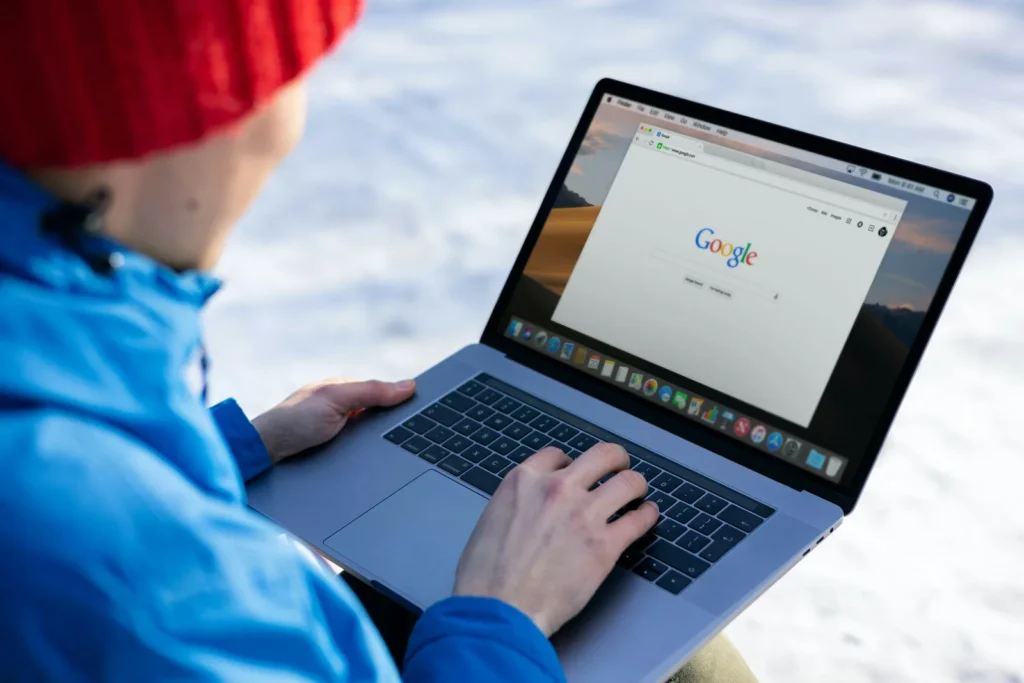
This lesson walks you through the anatomy of a Google results page, what each SERP feature does, and how a small business can realistically earn a place in them.
What is a SERP?
SERP stands for search engine results page. It is the page you see after you type a query into Google, Bing or another search engine.
Years ago, a SERP was mostly a list of ten website links. Today it is a mix of paid ads, organic results and many special boxes. These boxes are what SEO professionals call SERP features.
The layout changes with every query. A search for “chocolate cake recipe” looks very different from “dentist near me” or “who is the prime minister of India”.
What are the main SERP features on Google?
Here are the features you will see most often. Not every search shows all of them.
Paid ads
Ads usually appear at the top and bottom of the page, marked with a “Sponsored” label. Businesses pay for these through Google Ads. You cannot get into this space with SEO; it belongs to pay-per-click (PPC) advertising.
Organic results
These are the regular listings that Google ranks for free based on relevance and quality. Each one has a title link, the page URL and a short description called a snippet. Some organic results also show extras such as star ratings, prices or sitelinks (extra links to other pages on the same site).
Featured snippets
A featured snippet is a highlighted answer box shown above or among the organic results. Google pulls a paragraph, list or table from one web page that it thinks answers the question directly, and links to that page.
People Also Ask
The People Also Ask (PAA) box shows related questions. When you click one, it expands to show a short answer taken from a web page, plus a link to it. Opening one question usually reveals a few more below it.
Knowledge panel
A knowledge panel is an information box, usually on the right on desktop, about a well-known entity such as a person, company, place or film. It draws on Google’s Knowledge Graph, a large database of facts about things and how they connect.
Local pack
For searches with local intent, like “bakery in Banjara Hills”, Google shows a map with a short list of nearby businesses. This local pack comes from Google Business Profile listings, not from normal web pages.
Images, videos and Top stories
Image packs, video carousels (often from YouTube) and Top stories (news articles) appear when Google thinks visual or fresh content suits the query.
AI Overviews
AI Overviews are AI-generated summaries that appear at the top of some results pages. They answer the query in a few paragraphs and cite several web pages as sources. Google launched them in the US in May 2024 and has since rolled them out to many more countries, including India.
How do SERP features compare?
This table sums up where each feature comes from and how you can influence it.
| SERP feature | Where the content comes from | How you can appear |
|---|---|---|
| Paid ads | Google Ads campaigns | Pay per click through Google Ads |
| Organic results | Indexed web pages | Useful, well-optimized pages |
| Featured snippet | A single web page | Clear, direct answers under question headings |
| People Also Ask | Several web pages | Answer related questions concisely |
| Knowledge panel | Knowledge Graph | Consistent, accurate information about your brand across the web |
| Local pack | Google Business Profile | A complete, verified profile and genuine reviews |
| AI Overviews | Multiple web pages | Helpful, trustworthy content that clearly answers questions |
Why do SERP features matter for SEO?
SERP features change how people use search. When an answer box or AI Overview fully answers a simple question, many people never click a link. These are often called zero-click searches.
That sounds bad, but SERP features also create new ways to be seen. A small site can appear in a featured snippet or be cited in an AI Overview above much bigger competitors. We look at the traffic side of this in our post on how AI Overviews affect website traffic.
Knowing which SERP features show for your keywords also tells you what Google thinks searchers want. If a query shows a video carousel, a video might serve that audience better than a long article.
How can you win SERP features for your website?
Here is a practical example. Imagine a small cake shop in Hyderabad called Sweet Crumbs that wants more customers from search.
- Search your main keywords, such as “eggless cake Hyderabad”, and note which SERP features appear.
- For local searches, create and verify a Google Business Profile with correct hours, photos and category.
- Ask happy customers to leave honest reviews on the profile.
- Write pages that answer real questions, such as “How long does an eggless cake stay fresh?”, with the answer in the first two sentences.
- Use clear headings, short lists and simple tables so Google can lift answers easily.
- Add structured data (code that describes your page to search engines, such as product or local business details) where it fits.
- Check which queries show your pages in Google Search Console and improve pages that get impressions but few clicks.
Answer-first writing helps with featured snippets, People Also Ask and AI search at the same time. You can read more about this approach in our guide to answer engine optimization.
Google keeps an official gallery of visual elements in Google Search if you want to see every feature with its proper name.
Common mistakes to avoid
- Chasing every SERP feature instead of the ones that actually appear for your keywords.
- Trying to “rank” in the local pack without a verified Google Business Profile.
- Adding structured data that does not match what is visible on the page, which breaks Google’s guidelines.
- Burying the answer deep in a long introduction, so Google cannot find a clean snippet.
- Judging success by rankings alone, without checking clicks and impressions.
Key takeaways
- SERP features are the special boxes on a results page beyond the standard organic links.
- Ads are paid; organic results, snippets, PAA and AI Overviews are earned through good content.
- The local pack depends on your Google Business Profile, not just your website.
- Some SERP features reduce clicks, but they also give smaller sites a chance to stand out.
- Clear, answer-first content with good structure helps you appear in several features at once.
Frequently asked questions
Can I pay Google to get a featured snippet?
No. Featured snippets are organic and cannot be bought. Only the ads marked “Sponsored” are paid placements.
Do I need structured data to appear in SERP features?
Not always. Featured snippets and People Also Ask use normal page content, but some rich results, such as review stars or product details, rely on structured data.
Are AI Overviews a SERP feature?
Yes. AI Overviews are one of the newest SERP features, and they link to the web pages they draw from, so helpful content can still earn visibility there. Learn how search fits together in our free SEO course.
Previous lesson: How Google ranks pages: ranking factors and algorithms explained
Next lesson: Types of SEO: on-page, off-page, technical and local explained